Provably Fair Verification on Mobile: Checking Rounds Without Desktop Tools

the author
ProvablySmart Research Desk
date post
Aug 28, 2026

Share


Provably fair verification is the cornerstone of transparency in crypto gambling. The cryptographic principles—server seed, client seed, nonce, and hashing—are platform-agnostic, yet many players assume they need a desktop computer to run verification scripts. In 2026, mobile browsers and lightweight tools have eliminated that requirement. This article explains how to verify rounds on a smartphone or tablet using only the casino’s own interface or a mobile-friendly verification page, without any desktop software.
Why Mobile Verification Matters
Mobile-first gambling is now the norm. According to industry data, over 70% of crypto casino sessions originate from mobile devices. Yet verification guides often assume the user has access to a terminal, a Python script, or a desktop browser with developer tools. This creates a gap: players who deposit and play on their phone may not verify, assuming it is too cumbersome. In reality, the exact same cryptographic checks can be performed on a mobile browser, provided the casino exposes the necessary data and the verification tool or script is mobile-compatible.
Core Components of Provably Fair Verification
How Does This Compare to 0% House Edge Protocols?
Audited 100% RTP
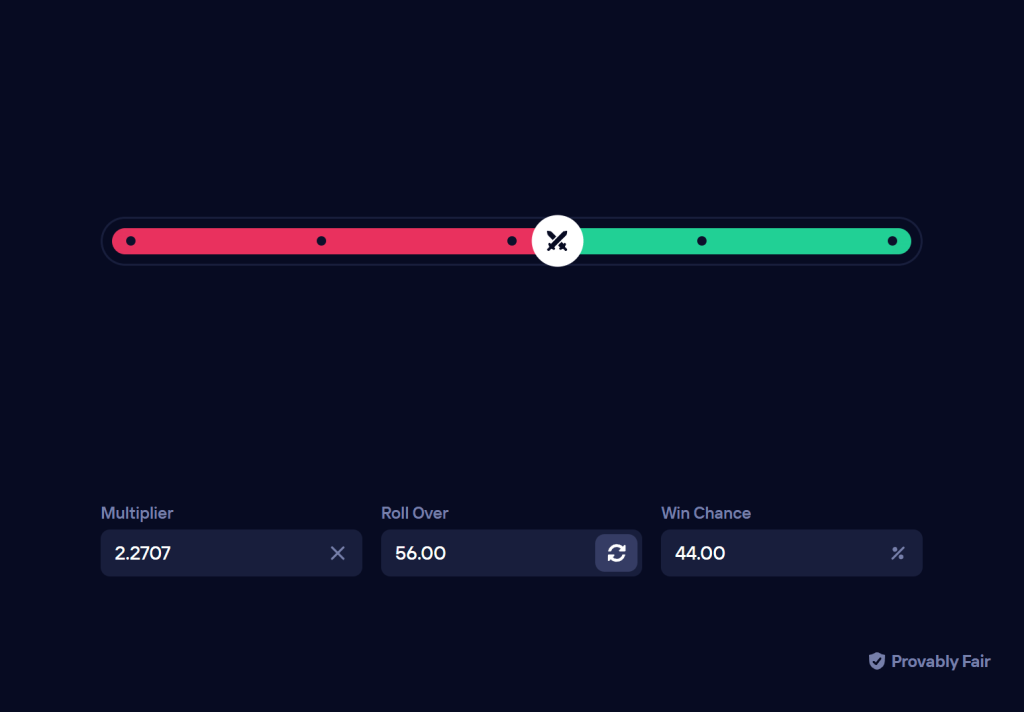
Instead of standard 1.00% to 4.00% casino house margins, compare with mathematically verified 100% RTP Originals (0.00% House Edge) on Duel Casino:

Server Seed, Client Seed, Nonce
Every provably fair game uses three inputs to determine the outcome:
- Server Seed – A secret generated by the casino, hashed before the round and revealed afterward.
- Client Seed – A string chosen by the player (or auto-generated by the casino) that can be changed at any time.
- Nonce – A sequential counter incremented with each round.
The casino publishes the hash of the server seed before the round. After the round, the server seed is revealed, and the player can combine all three inputs with a deterministic algorithm (e.g., HMAC-SHA256) to compute the outcome. If the computed outcome matches the displayed result, the round is provably fair.
Verification Steps on Mobile
To verify a round on a mobile device, follow these steps:
- Open the round history in the casino’s mobile website or app. Locate the server seed hash (pre‑round), the revealed server seed, your client seed, and the nonce.
- Copy these values. Many casinos now provide a “Copy to Clipboard” button for each seed.
- Navigate to the casino’s built-in verification page (often found under “Settings” or “Fairness”). Paste the values into the form and click “Verify”. The page will compute the outcome and compare it to the recorded result.
- If the casino does not offer a built-in verifier, use a third-party mobile-friendly verification site. Several independent verification tools are designed to work on mobile browsers—they run JavaScript entirely client-side, so no data leaves your device.
Alternatively, you can manually compute the hash using a Web Crypto API script in the browser’s console, but that requires some familiarity with developer tools. Most players will find the built-in or third-party UI sufficient.
Comparison: Desktop vs. Mobile Verification
| Feature | Desktop | Mobile |
|---|---|---|
| Browser tools | Full console, script execution | Limited console (Chrome/Safari) but usable |
| Copy/paste | Easy with mouse | Tap‑hold, often requires extra steps |
| Verification pages | Fully functional | Responsive, but may require zooming |
| Third-party tools | Many desktop apps, Python scripts | Fewer, but growing; web‑based tools work |
| Speed | Instant | Instant, same as desktop |
The table shows that the core difference is user interface, not cryptographic capability. Any verification that can be done on a desktop can be done on a mobile device, provided the tool is designed for touch input.
Limitations and Potential Pitfalls
While mobile verification is fully possible, there are a few pitfalls to watch for:
- Incomplete data display: Some casinos hide the server seed hash or the nonce on their mobile view. Check the “full site” mode or request the desktop version. If the data is not available, the casino is not provably fair in practice.
- Copy errors: Seeds are long alphanumeric strings. A single typo will produce a mismatched hash. Use the “Copy” button rather than manual typing.
- Third-party tool trust: When using an external verification page, ensure it runs entirely client-side (JavaScript). Check the page source or use a script that does not send data to a server. A reputable third-party verifier will publish its code on GitHub.
- Algorithm inconsistency: Different casinos may use slightly different hashing algorithms (e.g., HMAC-SHA256 vs. SHA512) or combine inputs differently. Always check the casino’s documentation to match the algorithm.
Mobile-Friendly Verification Tools
As of 2026, several independent verification tools are available that work on mobile:
- Web-based verifiers: Sites that accept seeds and nonces, compute the outcome, and display it. Examples include provablyfair.xyz and similar. They are responsive and work on any screen.
- Progressive Web Apps (PWAs): Some casinos offer a PWA that includes a built-in verification section. The PWA works offline after the first load.
- Browser extensions: A few extensions exist for mobile browsers (e.g., Kiwi Browser supports Chrome extensions) that can automate verification. However, these are less common.
For a comprehensive list of casinos that provide easy mobile verification, see our casino reviews where we evaluate the fairness interface on mobile. The provably fair guides section also includes step-by-step verification instructions for specific games.
Automating Verification on Mobile
Advanced users may want to automate verification. On a desktop, this is often done with a Python script that fetches seeds from the casino’s API. On mobile, the same can be achieved using a mobile terminal app (e.g., Termux on Android) that runs Python scripts. However, for most users, manual verification via the casino’s page is sufficient. The news section occasionally covers new automation tools for mobile. For bankroll management, verifying a few rounds per session is enough—see our bankroll management page for advice on maintaining a healthy playstyle.
FAQ
Can I verify provably fair results on iPhone without any additional apps?
Yes. Safari on iOS supports the Web Crypto API, so any verification page that uses client-side JavaScript will work. Simply open the casino’s verification page or a third-party verifier in Safari, copy the seeds, and paste. No app download is required.
What if the casino’s mobile verification page is broken or missing?
If the casino does not provide a verification page that works on mobile, you can request the desktop version of the site. Most mobile browsers have a “Request Desktop Site” option. After switching, the full verification interface will appear. If even that fails, consider using a third-party verifier. If the casino refuses to provide any verification data (server seed hash, revealed seed, nonce), the game is not provably fair.
Is it safe to use a third-party verification website on my phone?
It is safe if the website runs all calculations client-side. Check the page source to confirm that seeds are not sent to a server. Reputable third-party verifiers display their code publicly. If you are unsure, you can also run a verification script locally using a JavaScript console in a mobile browser—though that requires more technical skill.